Customer Success by results
Help every customer reach the results they bought.
CSresults gives Sales, Product, Onboarding and Customer Success one shared plan per customer, built around the products they bought and the outcomes you promised. You see who needs help early, you bring the right people in, and your customers can see their progress too. Renewals rest on results you can show, and expansion follows the customers who have them.
Free for up to 2 people, with every feature. See pricing or talk to sales.
One plan, one team
Sales, Product, Onboarding and Customer Success, pulling the same way
Most companies pass the customer from team to team, and the promise made at the start fades with every handoff. In CSresults every team works from the same results plan, so the customer feels one company working for them.
- Step 1
Sales
Closes the deal and sets the promise.
A closed-won deal in Salesforce or HubSpot starts the customer's plan automatically, so nothing promised gets lost in the handoff.
- Step 2
Product
Defines what success looks like.
Each product carries its own stages, expected outcomes and standard tasks, reports show which products really deliver, and product feedback arrives ranked by the customers and results riding on it.
- Step 3
Onboarding
Gets every customer live.
Implementation stages, a checklist of what the customer owes and what you owe, and requests for help the moment someone is stuck.
- Step 4
CSMs
Delivers the results, customer by customer.
A day planned around outcomes: the calendar, check-in prep, playbook nudges, notes that @mention teammates, and business reviews.
- Step 5
CS leadership
Steers the whole book.
Every book of business side by side, a churn and expansion forecast in dollars, renewals at risk the moment they are called, a Monday summary, and customers moved between CSMs in a click.
And back to Sales. Once a customer has the results they bought, they are ready to expand, and the opportunity lands in your CRM with the proof behind it. The circle closes, and the customer sees one team throughout, on a plan they can open any time.
Renewals and expansion
Customers stay for the results they bought, and grow once they have them
CSresults keeps every team on those results. You see a renewal at risk while there is still time to act, walk into each renewal conversation with proof, and spend expansion effort on the accounts that have earned it.
Results tracked against what was promised
Each product carries the outcomes promised at the sale, with dates. Every customer's plan tracks them, keeps the original date beside a new one, and shows a slip while there is still time to help.
Early warnings, well before the renewal
A low rating from the customer, an outcome gone overdue, no executive sponsor on the account, a champion who has left, or a customer gone quiet: each one raises a flag, and playbooks can add the next step to the CSM's list.
Renewal calls backed by results
Every renewal shows the results achieved and suggests a call from them, the customer's health and their own rating. The CSM makes the call, and the forecast counts it in dollars.
Expansion earned by results
A customer scores for expansion only once they have most of the results they bought. Sales spends its time on accounts that are ready, and each opportunity reaches your CRM with the results behind it.
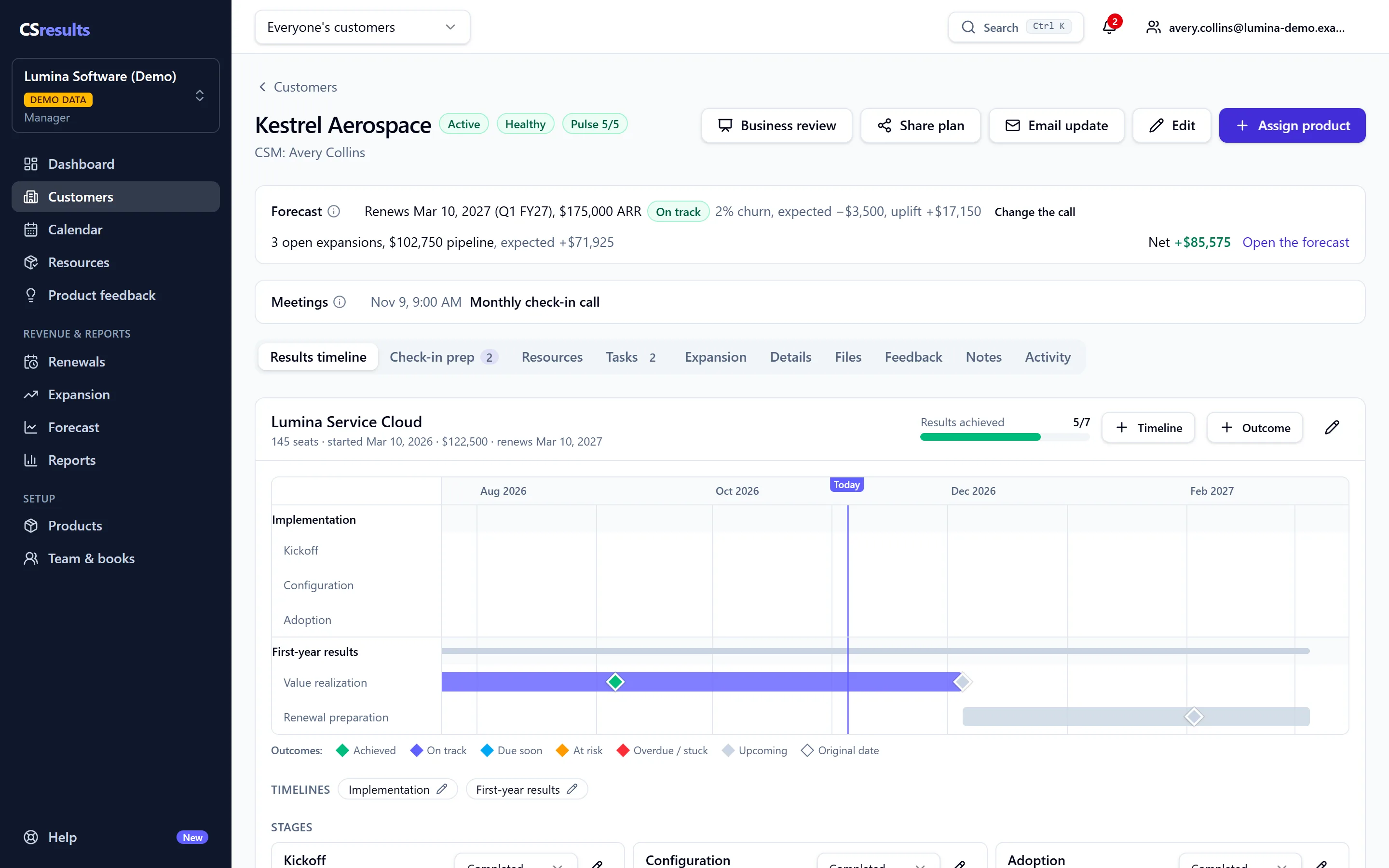
Results timelines
A clear path for every customer, product by product
Each product you sell carries the stages and outcomes a customer should reach, and when. Assign it and the plan is ready on day one, so nobody starts from a blank page.
- See a slipping outcome while there is still time to help
- Keep the original date beside the new one, so every slip is honest
- Note what the customer owes and what you owe at each stage
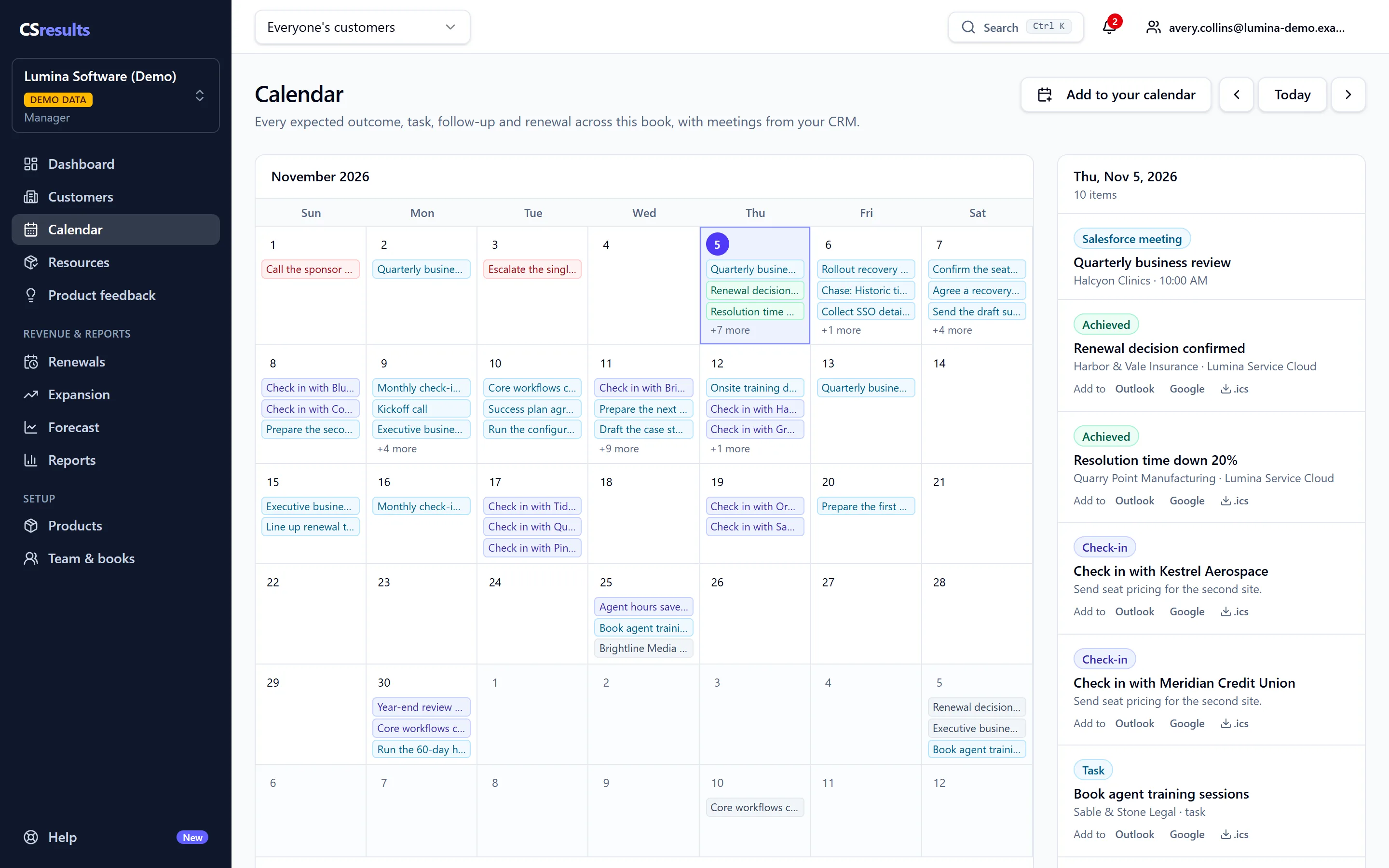
Calendar
Walk into every conversation knowing what to talk about
Every expected outcome, check-in, task and renewal across your book, on one calendar. Pick a day to see the agenda, with the customer and product for each item.
- Check-in prep pulls together what is due and what is stuck
- Record who was there, and see when you last heard from the executive sponsor
- Subscribe from Outlook, Google Calendar or Apple Calendar and it stays up to date
- Check-ins land in Salesforce and HubSpot as events and tasks
- Playbooks add the next step for you when a customer stalls
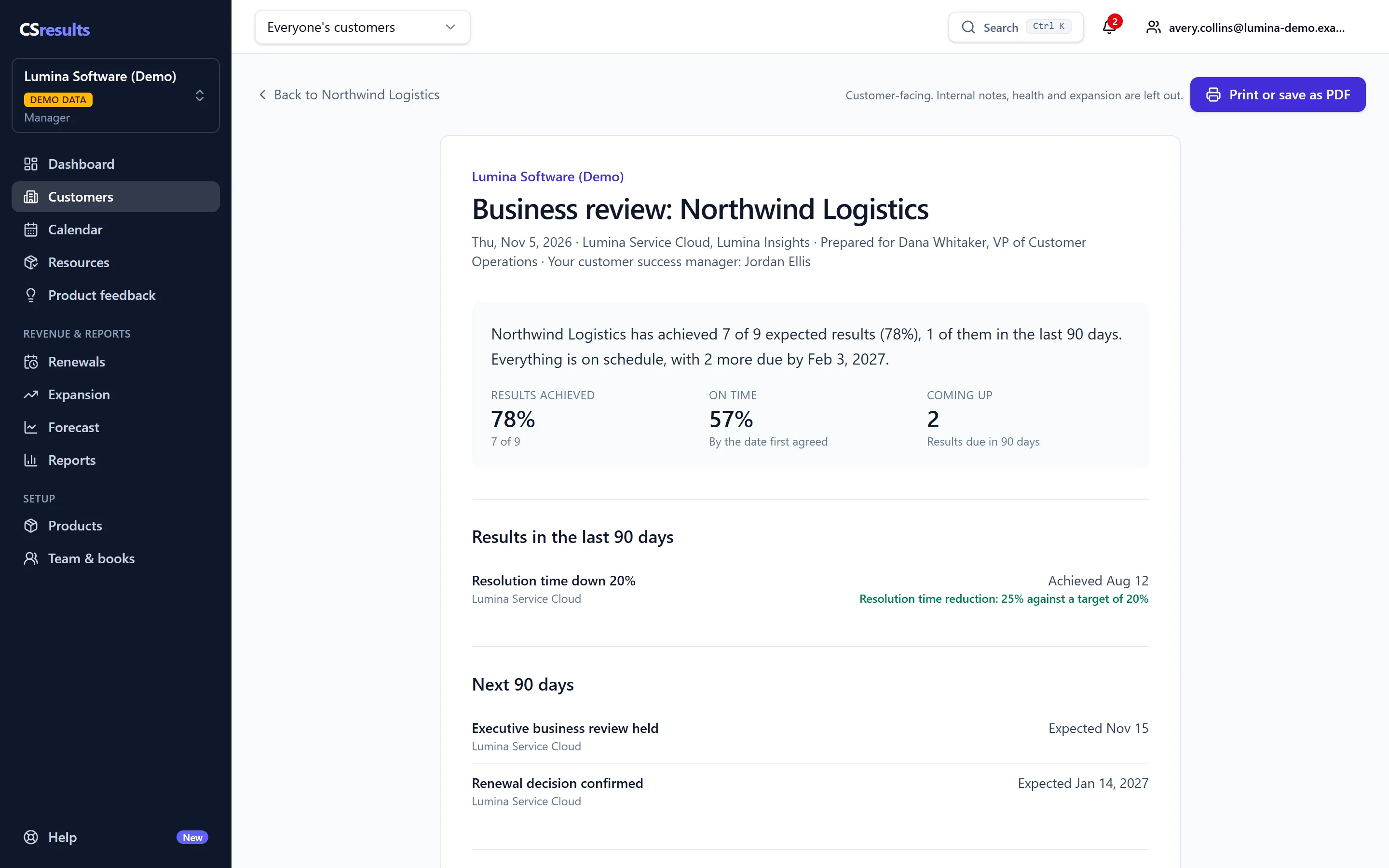
Business reviews
Show customers the value they are getting, in their words
A business review writes itself from the plan: results achieved, how many landed on time, the wins from the last 90 days and what comes next. Print it, or save it as a PDF.
- Customer-facing by design: internal notes, health and expansion stay out
- Prepared for the executive sponsor, with the people you work with by role
- Measured wins, like 31% against a target of 20%, in plain sentences
- Between reviews, email a progress update to the customer's team, previewed before it goes
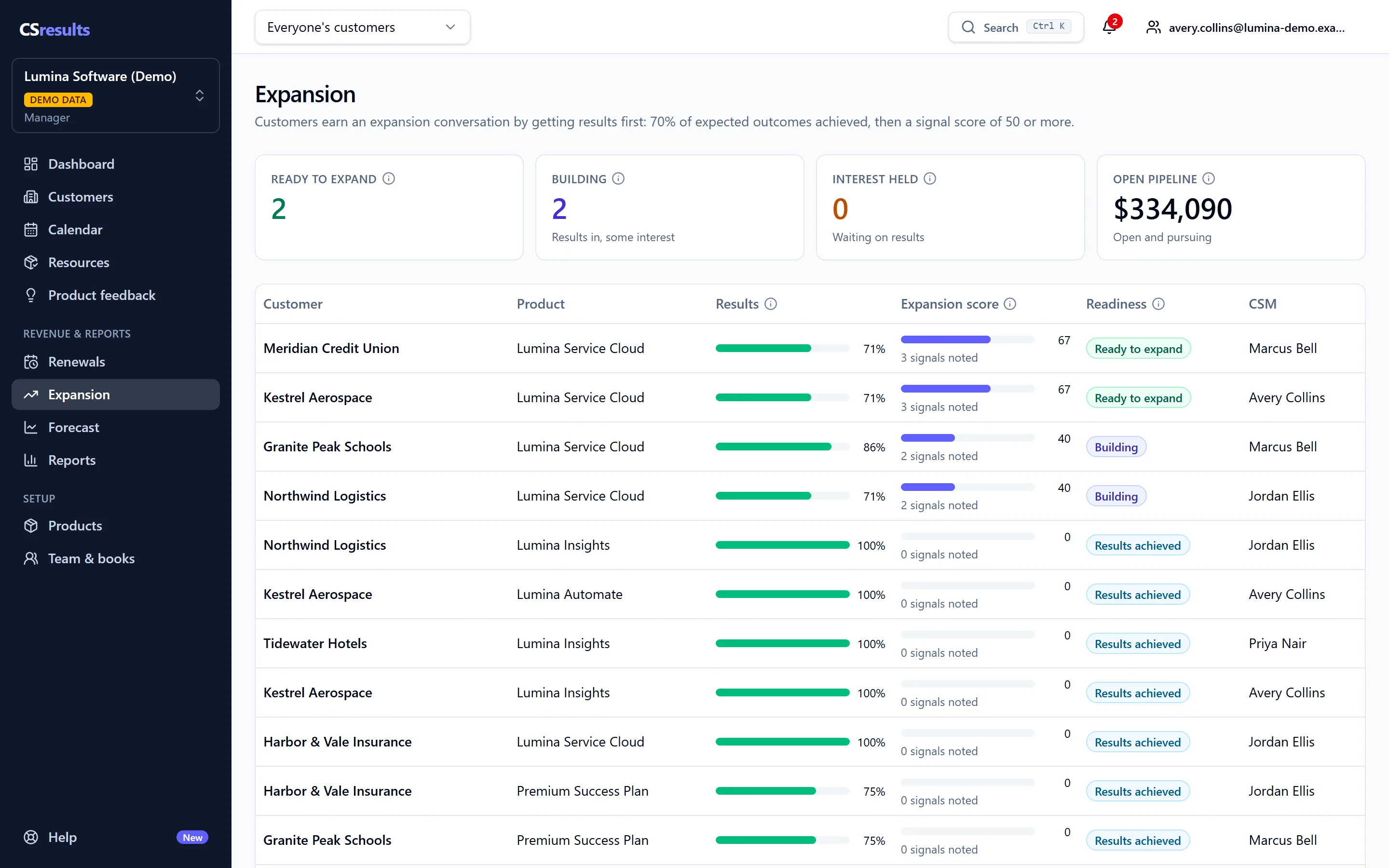
Expansion
Grow accounts that are ready to grow
Note buying signals as you hear them, but a customer only scores for expansion once they have most of the results they were sold. Sales gets warm, earned conversations.
- Readiness shows at a glance: earning results, building, ready to expand
- Open pipeline beside the results behind it
- Opportunities sync back to Salesforce and HubSpot
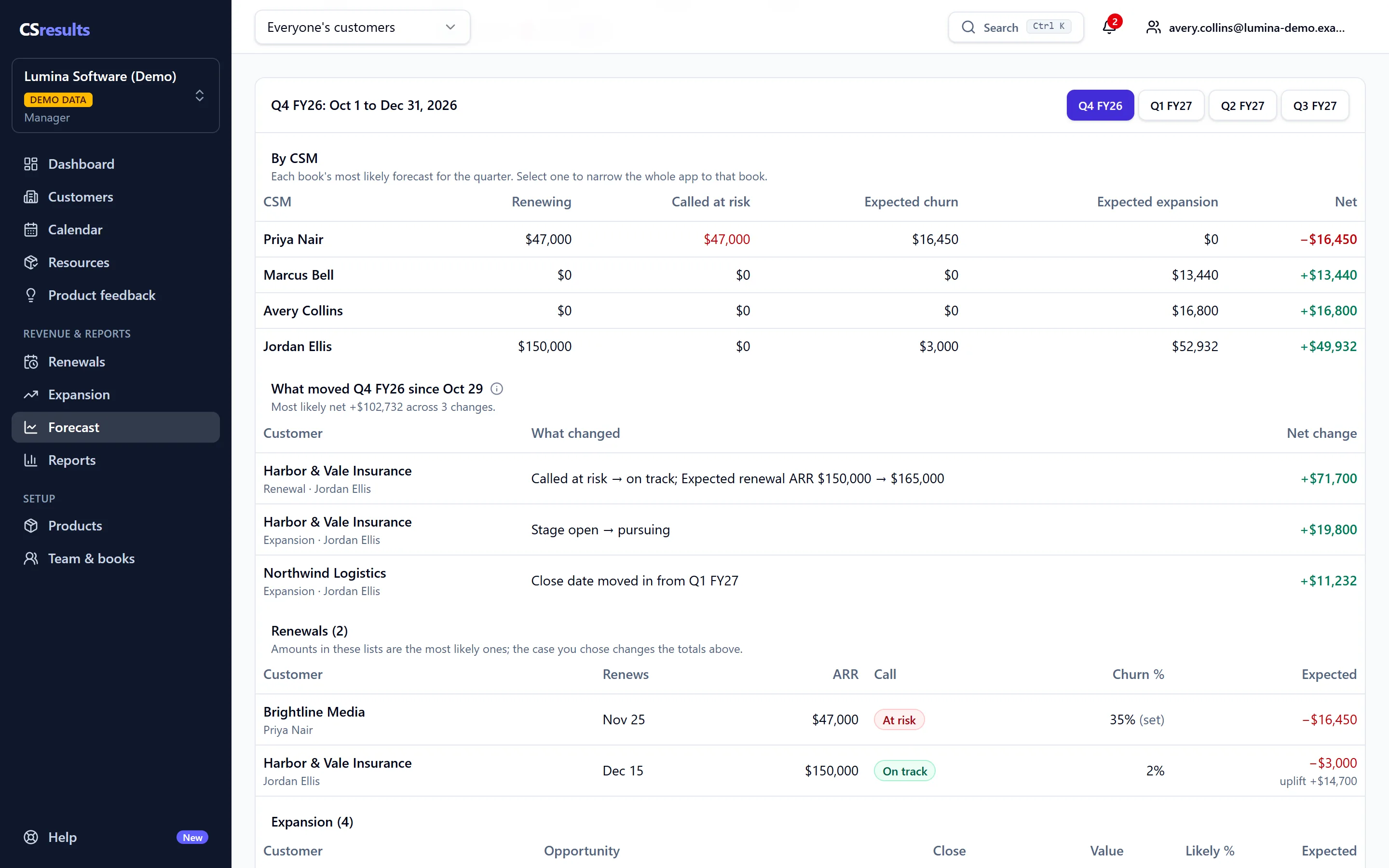
Forecast
Know your churn and expansion in dollars, quarter by quarter
The forecast comes from the work your team already does. Every renewal counts by its ARR and the CSM's call on it; every expansion by its value and how far along it is, in the quarter it should close. No spreadsheet to keep, and no separate forecast meeting to fill one in.
- Expected churn, expansion and net ARR change for this quarter and the next three, in most likely, conservative and best cases
- Each CSM's book side by side, worst first, with the customers behind every number
- What moved since last week, and why: a renewal called at risk, a deal slipping a quarter, a deal won
- A snapshot every morning, and each finished quarter's forecast against what really happened
- Leaders hear the moment a renewal is called at risk, and Monday's summary leads with the forecast
- Each account's forecast in Salesforce and HubSpot, and deal amounts and close dates flow back in
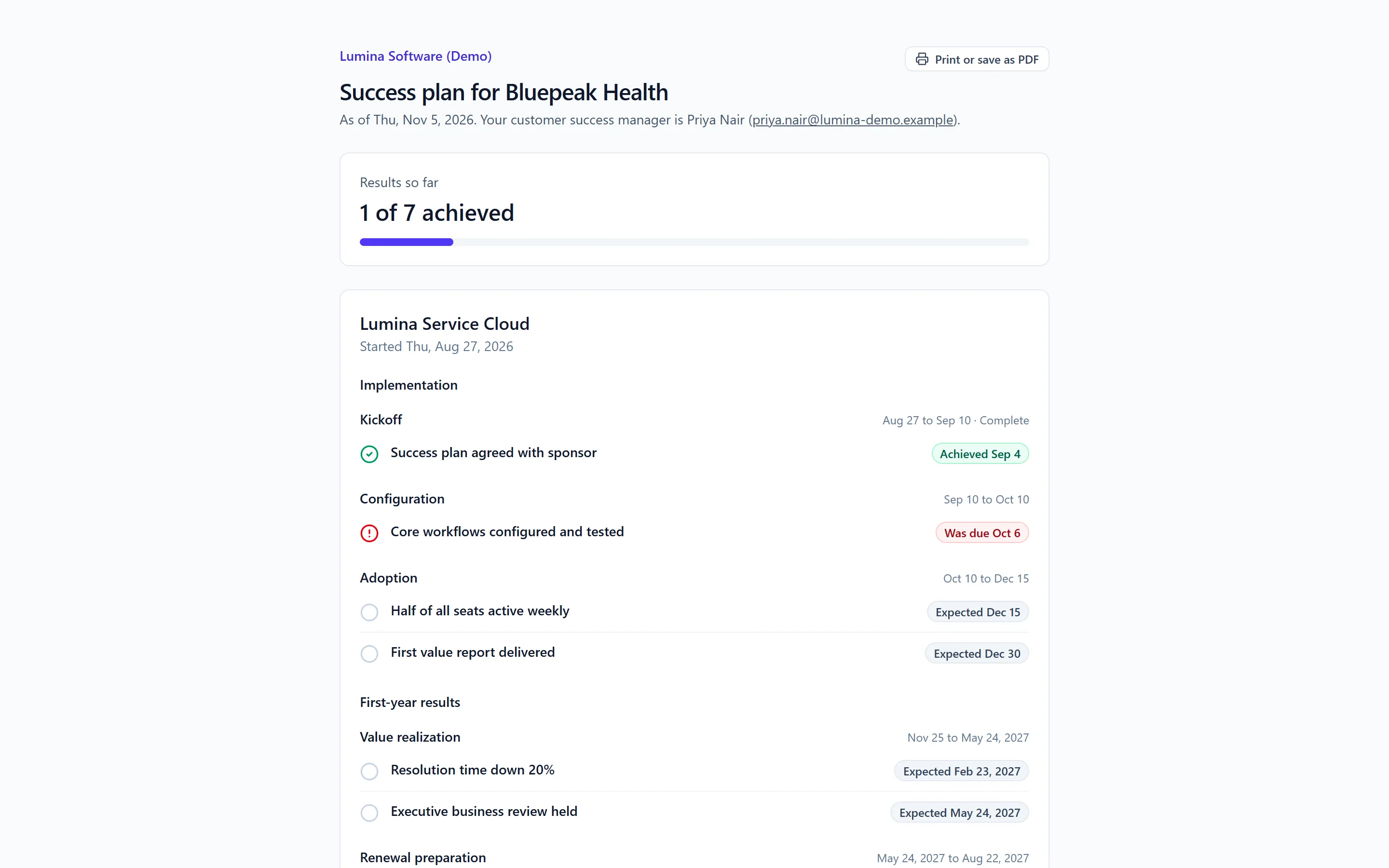
Shared success plans
Customers in the loop, without another login
Send your customer a link to their success plan. They see what has been achieved, what is next and who to call, always up to date. Turn the link off whenever you like.
It is the same plan your team works from, so there is one story about progress, and it is the true one.
Take a look around
Get a feel for a day in CSresults
These are real screens from our demo workspace, Lumina Software, with fictional customers and a team of three CSMs and a manager.
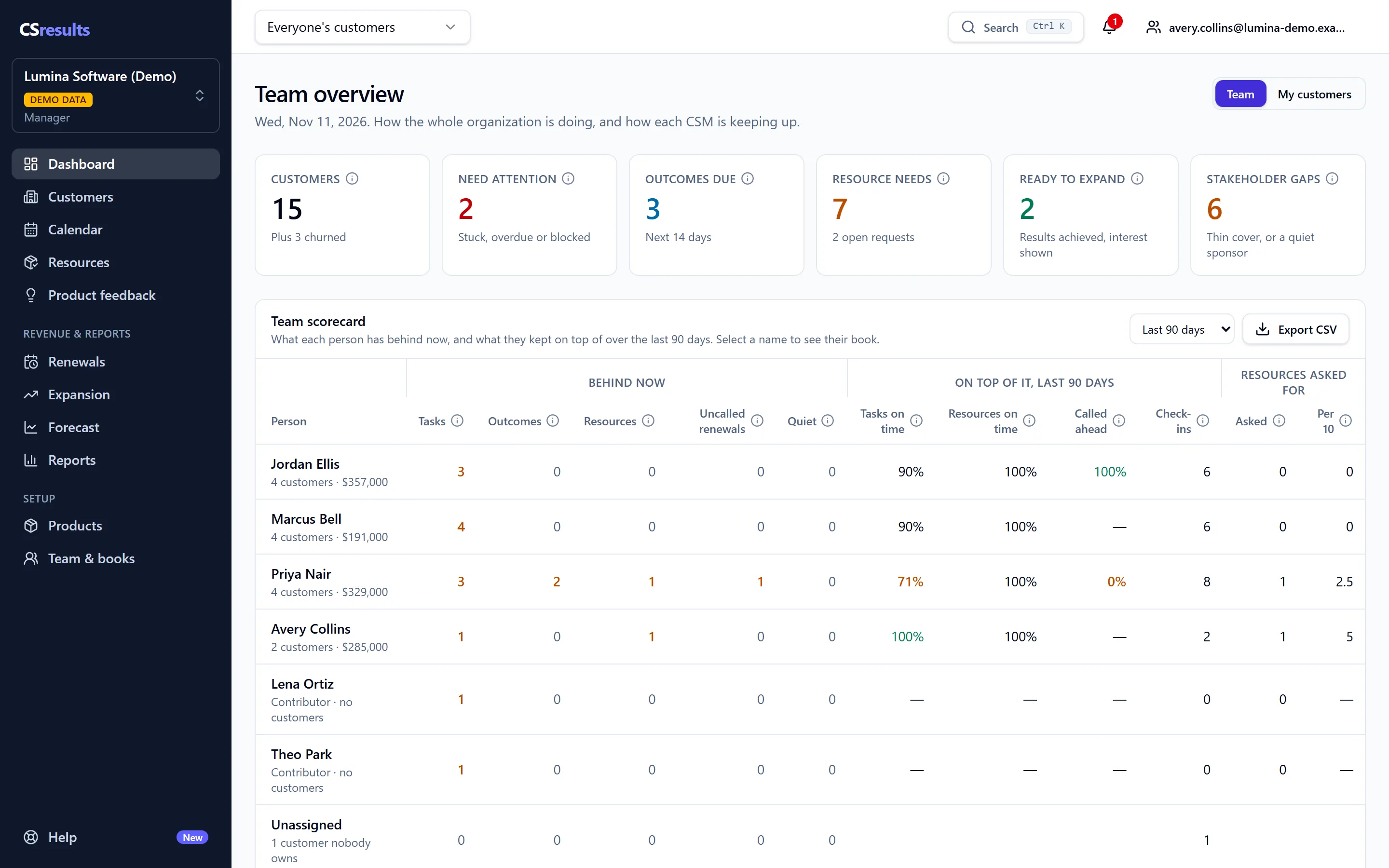
Managers see the whole team: what each person has behind, what they keep on top of, and the extra resources they ask for. CSMs start the day with their own book beside the team's.
Up and running in an afternoon
- 1
Describe what success looks like
For each product, list the stages and the outcomes a customer should reach, or start from a template. Or load sample data to explore first, and remove it in one step when you are ready.
- 2
Bring in your customers
Sync from Salesforce or HubSpot, or import a spreadsheet. Assign each customer to a CSM's book.
- 3
Work the plan together
Check in, mark results achieved, share the plan and run reviews. Expansion follows the results.
Works with the tools you have
- Salesforce package
- HubSpot
- REST API
- Webhooks
- Zapier, Workato and Make, through webhooks
Your customers bought results. Help them get there.
Set up your organization, add a product and your first customers, and see your book the way your customers experience it.
Free for up to 2 people, with every feature.